
Prepare your Defra report
Digital waste tracking software that works with your weighbridge
Upload the export you already make. Every load is checked, then sent straight to Defra.
Upload your export
Excel or CSV, or drop the files anywhere on this page.
See a sample first. Sign in for one free run on your file. No card needed.
Your tickets in. Every load checked. Ready loads out.
Fills in Defra’s digital waste tracking spreadsheet
Two days of weighbridge tickets from a transfer station, 74 rows. Watch them become 71 loads in Defra’s Receipt of Waste spreadsheet, each one checked.

Every load checked before you upload
Every load is checked against Defra’s published requirements before it goes. A load Defra would refuse waits for you, with the reason and what it needs. Rows that aren’t receipts are left out, so Defra never sees them.
- Ready to send
Goes straight to Defra.
W10018.86 t · Soil and stones · 17 05 04 - Needs you
Waits for your answer, with the date it must reach Defra by.
W1022Gross or tare missing · File within 2 working days of arrival - Left out
Not a receipt, so not for Defra. Put it back if it’s wrong.
W1045Cancelled ticket, reissued as W1046
What is checked
- EWC codes against the full list, hazardous ones flagged
- Carrier registration numbers in the right form
- Dates, times and weights in Defra’s format
- Hazardous and POPs details, where a load needs them
- A file-by date on every load that needs you
A load that needs you never holds up the others. Send the ready ones now, and the rest when they’re answered.
Works with the system you already have
Keep your weighbridge or waste software. Export as you do now and upload the file. Confirm its columns once; every file after that goes straight to the loads.
- Once
- per system, to confirm its columns
- 0
- questions on the next file
- 0
- installs or connections
Layout keptTickets export · Elmfield Transfer Station
- TicketTicket
- DateReceived
- HaulierCarrier
- VehicleVehicle
- DestinationSite
- PermitPermit
- ProductDescription
- EWCEWC code
- GrossGross weight
- TareTare weight
- NetNet weight
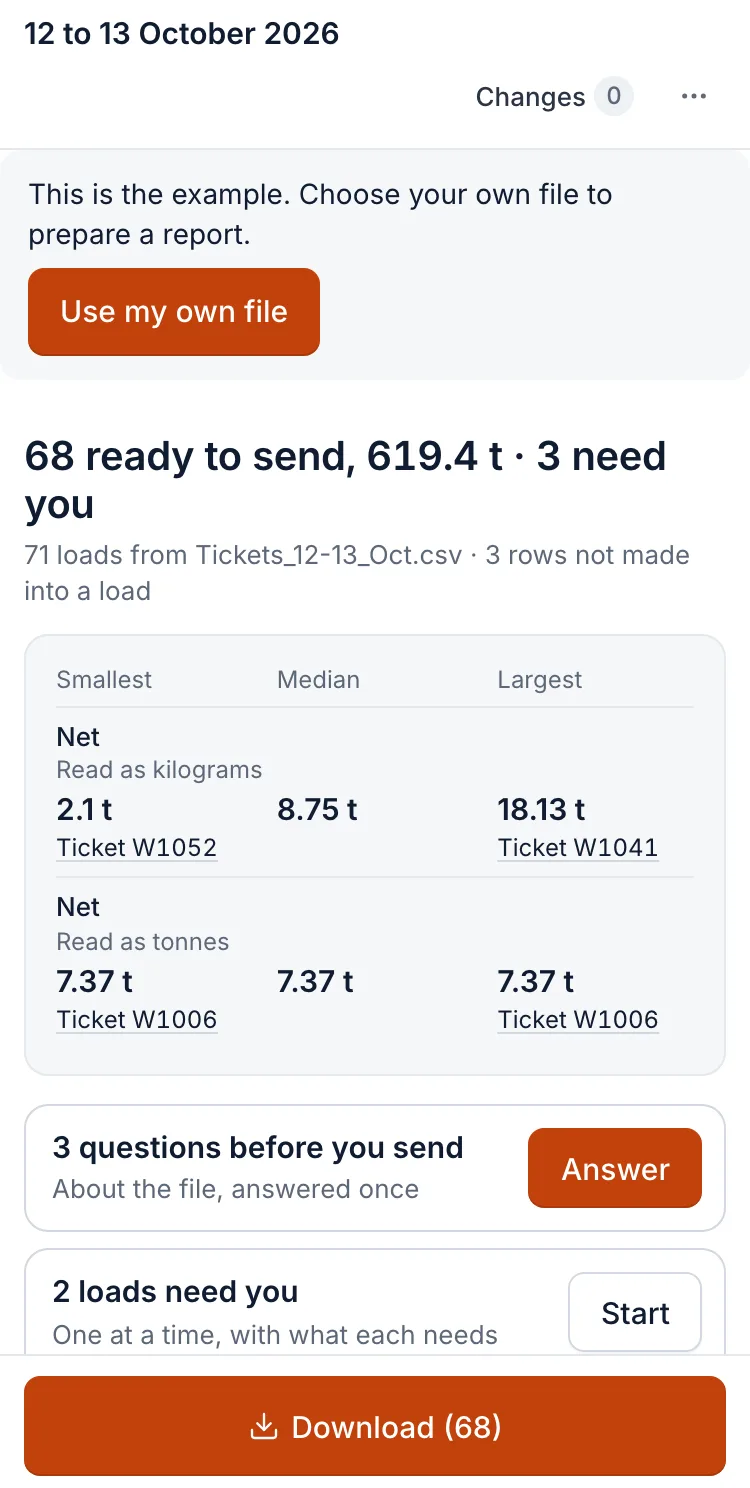
On your phone, in the yard
Upload the export, answer what needs you and send it to Defra, all from the phone.
- Nothing to install. Open it in the phone’s browser.
- The loads that need you come one at a time.
- Your sites and reports are there on any device.
When Defra replies
Defra’s answer comes back here. Each load gets its tracking ID; a refused load comes back with Defra’s reason, to fix and send again within the same two working days.

Is it on Defra’s list of software providers?
Prepare sends each load to Defra through Defra’s Receipt of Waste API, the route that list is for.
| Prepare your Defra report | Software on Defra’s list | |
|---|---|---|
| What goes to Defra | Each load, sent straight to Defra once you’ve seen it. | Each load, sent through Defra’s API by the software. |
| Your weighbridge system | Stays. Export as you do now. | Ask each supplier. |
| Before anything goes | You see every load. | Depends on the software. |
Defra’s list of software providers on GOV.UK
Defra expects the spreadsheet route to stay open until at least October 2027. Dates and the law
14 days free, then £30 a month
Pro
£30a month
One receiving site
Unlimited loads
- Unlimited loads, files and downloads
- Sites, layouts and reports saved
- Defra’s reply read back
- Every ComplyOnSite tool, with 75 credits a month
- Setting up a new export uses credits once; every file after it is free
Card needed. Cancel before the trial ends and pay nothing.
Two to 5 sites? Team is £120 a month
Defra charges £26 a year per organisation, paid to Defra.
Questions
Is there a free version?
Not of Prepare. The example on this page is free with no account, and so is the Defra spreadsheet checker for a workbook you’ve filled in yourself.
Can I just use my own spreadsheet?
No. Defra takes only its own template, unchanged. Prepare fills that template from your export.
Which exports work?
Any weighbridge or waste-system export with one row per load: Excel or CSV, from your computer or Google Drive, or rows pasted from a screen.
What happens to my files?
Your sites, reports and Defra’s replies are kept in your account. Setting up a new export sends its headings and a few rows to ComplyOnSite. Privacy policy
What if we have several sites?
Pro covers one receiving site. Team covers up to 5, at £120 a month. Each site keeps its own details, layouts and reports, with unlimited loads.
Does it send the file to Defra?
Yes. Once you’ve seen the loads, Prepare sends them straight to Defra. Defra’s spreadsheet is still there to download if you want it.
Scotland and Northern Ireland?
The spreadsheet is the same UK-wide template. Scotland starts on 1 January 2027; Northern Ireland plans to start in January 2027.
Why do all the loads need me?
Usually one thing for the whole file, such as a date column read month-first. You answer it once, at the top, and it applies to every load it fits.
Start with the file you already have
Your weighbridge or office export, as it is. Minutes for the first file, seconds for the rest.