
Site diary app
Fill it in on your phone or laptop. Free, no account.
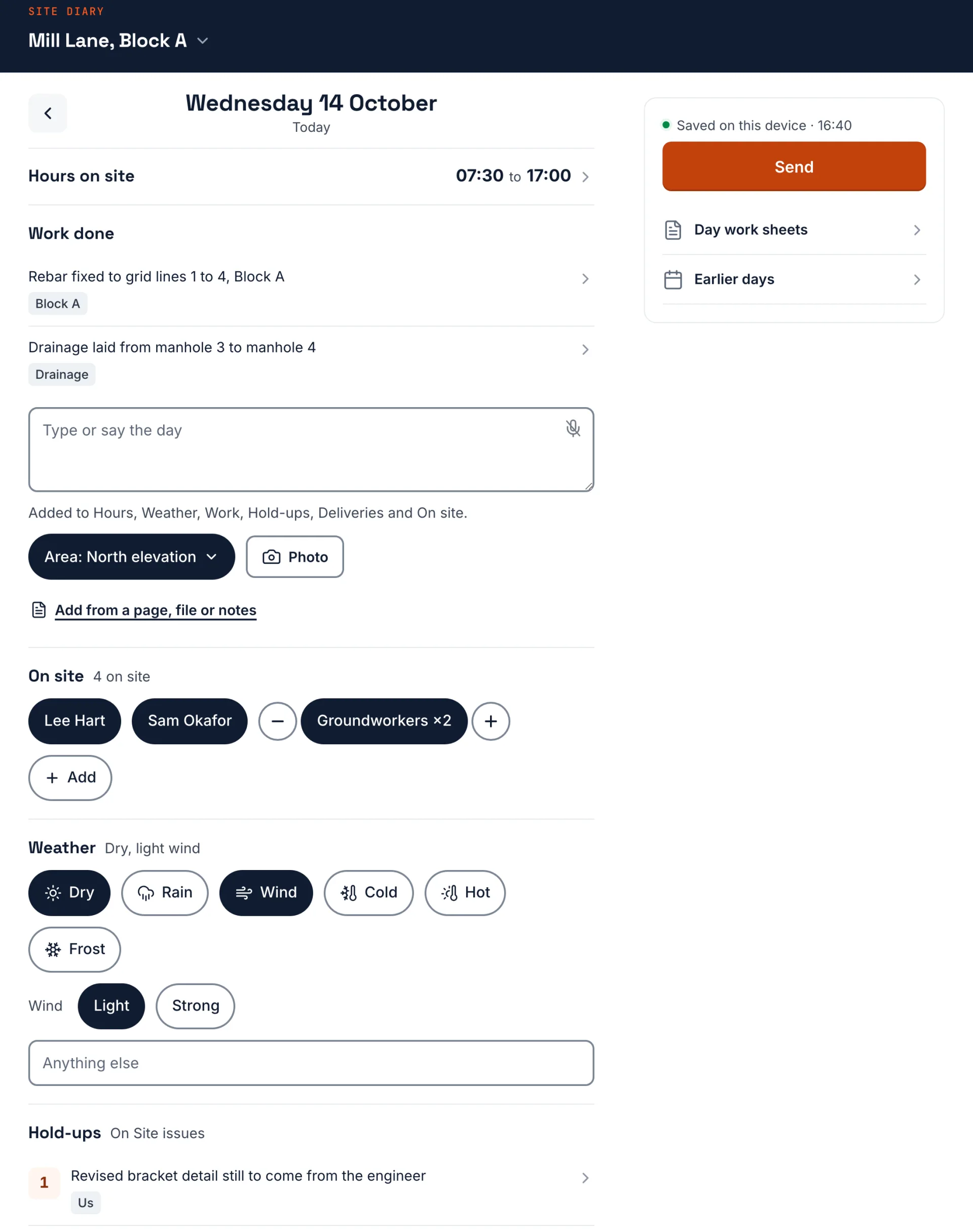

Type it, say it or photograph your paper diary
Each line shows where it will go, for you to check before it is added.
Prefer paper? Print a site diary template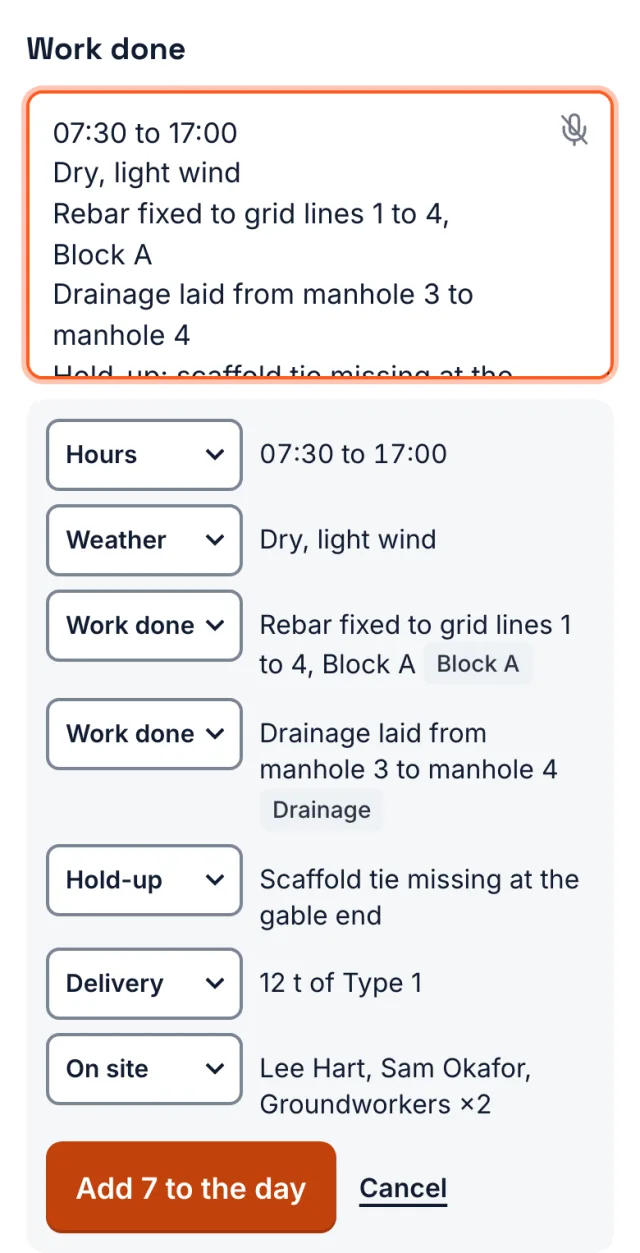
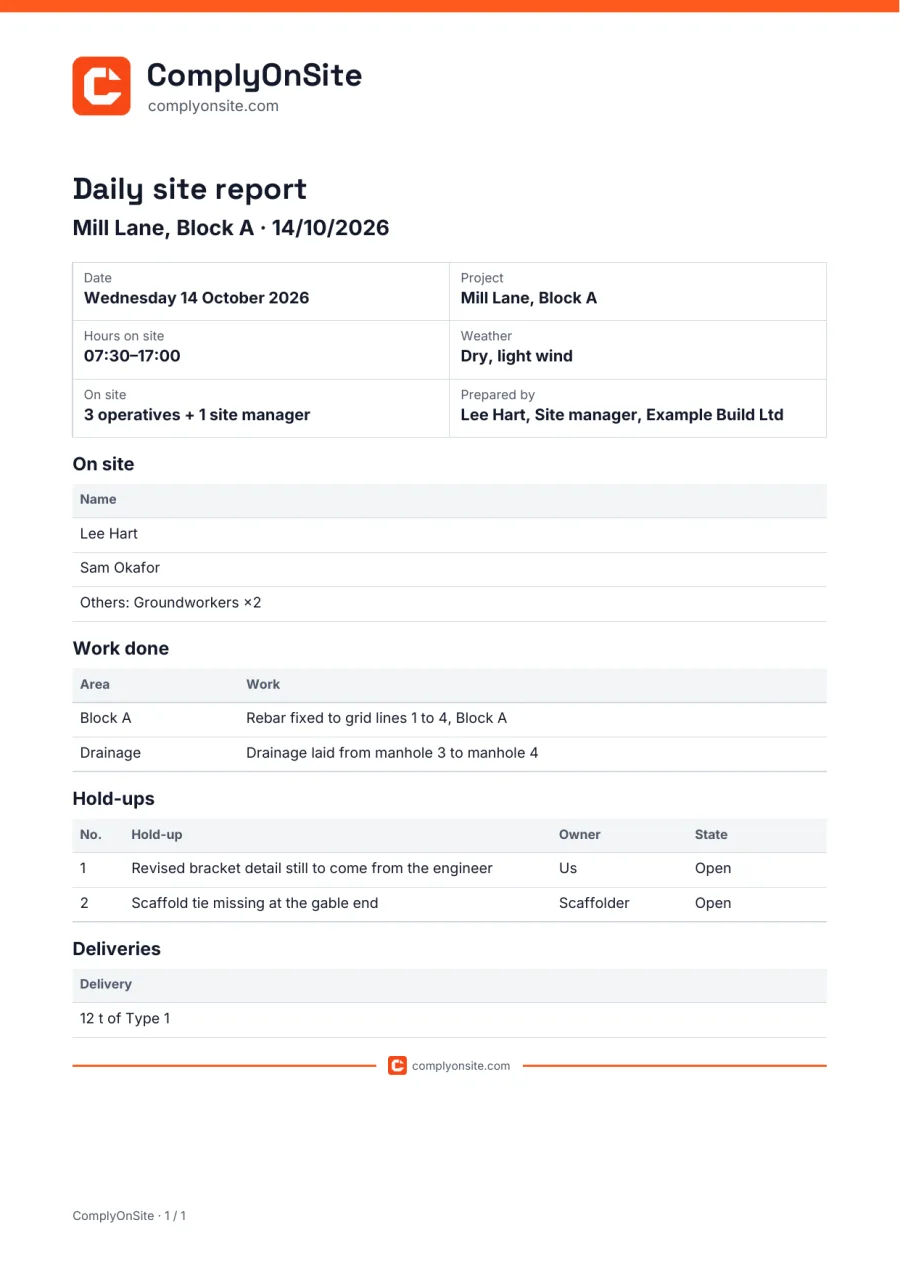
Send the day as a daily site report PDF
Send makes the PDF and copies the email text, ready to paste.
Site diary app questions
What does this construction site diary app record?
Hours, weather, who was on site, work done, hold-ups and deliveries, each in its own row. Add visitors, instructions, damages, quality, H&S, comments and tomorrow’s plan when the job needs them.
Is this site diary software free?
Yes. The diary, the PDF and the email text are free, with or without an account. Pro and Team add your logo on the PDF and premium dictation.
Does it work on a laptop as well as a phone?
Yes. It is the same diary in the browser on either. Sign in and the days are kept on your account, so you can write the day on your phone and open it on your laptop.
What is on the daily site report PDF?
Names, and trades by count, as “Groundworkers ×2”. Each work line under its area, with its photos. Hold-ups numbered, with who owns each and whether it is open. Send again after a change and the PDF says Revised. On Pro and Team, it carries your company logo.
Does it work without a signal?
Once the page is open, the day saves on the device as you go and Send still makes the PDF. Signed in, changes go to your account when the signal is back. Reading a photographed page needs a signal.
Who can see my diary?
With no account it stays on this device. Signed in, it is kept on your account and everyone in your workspace can open it.
Can I keep using my paper diary?
Yes. Take a photo of the page at the end of the day. It is read into today, and you check every line before anything is kept. 5 pages a month are free, 20 with a free account.
What else can it read?
A screenshot of notes or messages, a PDF, a Word file or a text file. Share a Pages file as a PDF first. You can also type or say the whole day in one go.
What if I miss a day?
Earlier days shows the dates with no diary, so a missed day can be written up later.
Can it handle day work?
Mark a line Out of scope and it becomes a day work sheet, signed on the phone or on paper.
How do I turn the diary into a weekly report?
Open Site Progress Report, pick the week and fill it from the days. What you type is never written over. Hold-ups are kept on Site Issues with their numbers.
Can people sign in at the gate?
Yes, with a QR code on Site Register. The diary shows who did, and adds them to On site in one tap.
Do I have to keep a site diary?
No law names a site diary. Where there is a principal contractor, CDM 2015 regulation 13 says they must plan, manage and monitor the construction phase. A dated record of each day is a plain way to show it.
Sent before you leave site